
Download Ascii Art Maker – ascii art, ascii art maker, ascii art generator, text art, creative tool, image to ascii, ascii converter, art tool, ascii generator, ascii art editor, ascii art tool, ascii art app, ascii art generator for android, ascii art for android, ascii art for mobile, ascii art tool for android, ascii art tool for mobile
Overview
Ascii Art Maker is a lightweight Android application designed for users who enjoy transforming images into text-based artwork using ASCII characters. The app serves as a creative tool for generating ASCII art from photographs or creating original compositions from scratch. Its core purpose lies in enabling users to convert visual content into stylized text representations, offering a nostalgic and artistic alternative to digital image editing. This functionality appeals to hobbyists, digital artists, and tech enthusiasts interested in retro computing aesthetics and text-based visual expression.
The app is particularly useful for those seeking a simple way to personalize messages, create unique social media content, or experiment with digital art in a low-resource environment. It supports both image-to-ASCII conversion and freehand ASCII drawing, providing flexibility for different creative workflows. The developer, Jason A. Bilbrey, has crafted a tool that emphasizes accessibility and ease of use, making it approachable for users with minimal technical background.
Although the developer did not provide additional technical details, the app’s continued availability suggests a stable and functional design. Its presence in the Android ecosystem since 2013 highlights its niche but enduring appeal. For users exploring digital creativity on mobile devices, Ascii Art Maker offers a focused, no-frills solution for generating expressive text art without requiring advanced software or high-end hardware.
Key Features & Functionality
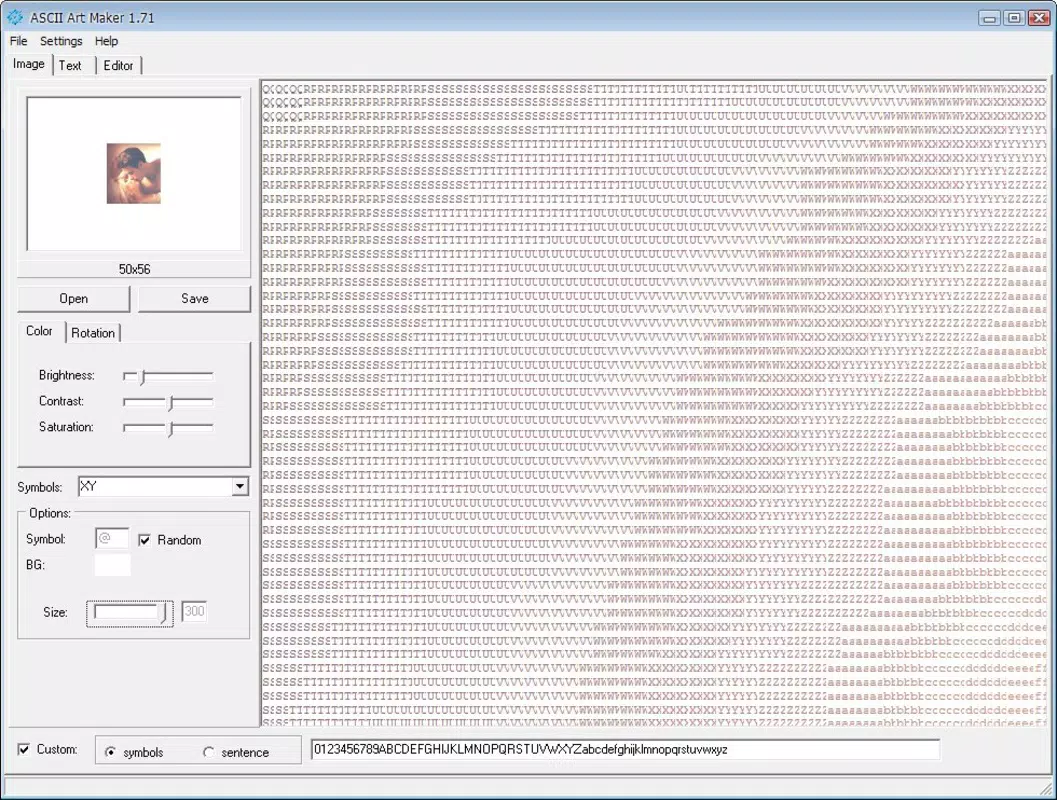
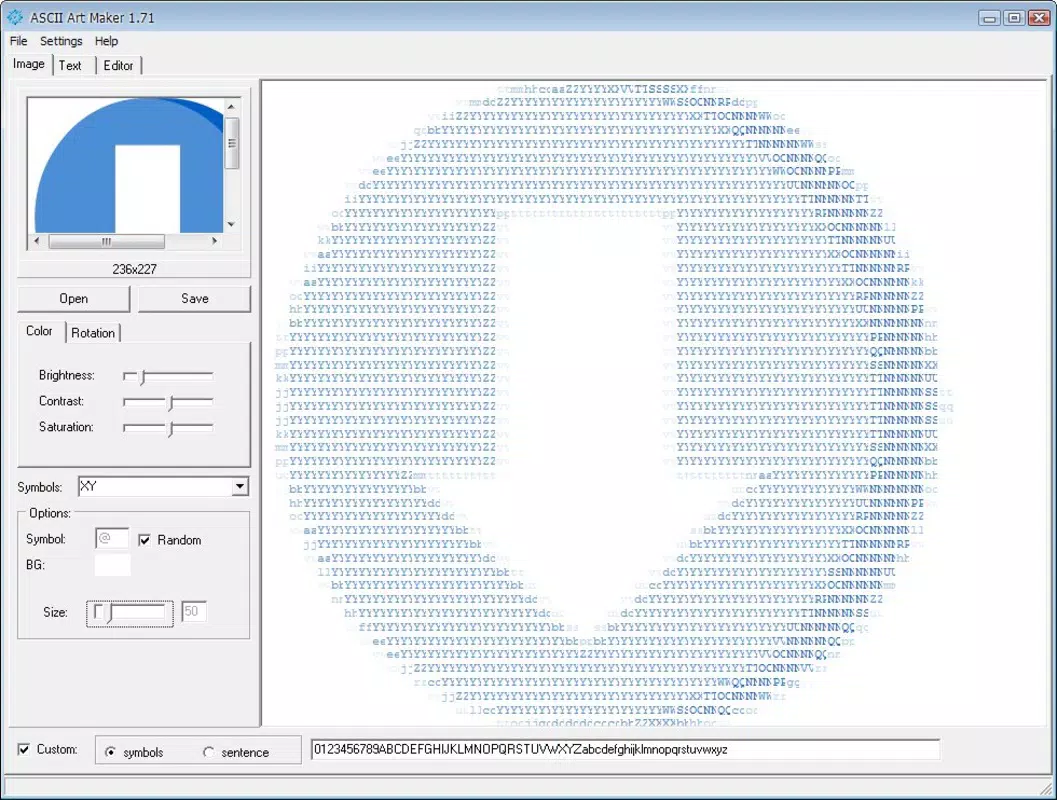
- Image Upload Option: Users can upload images or photographs directly from their device to convert into ASCII art. This feature allows for personalization by transforming favorite photos, logos, or screenshots into text-based visuals.
- Customizable Output Size: The app enables users to select the dimensions of the final ASCII output, ensuring adaptability for various display contexts such as chat messages, terminal environments, or digital portfolios.
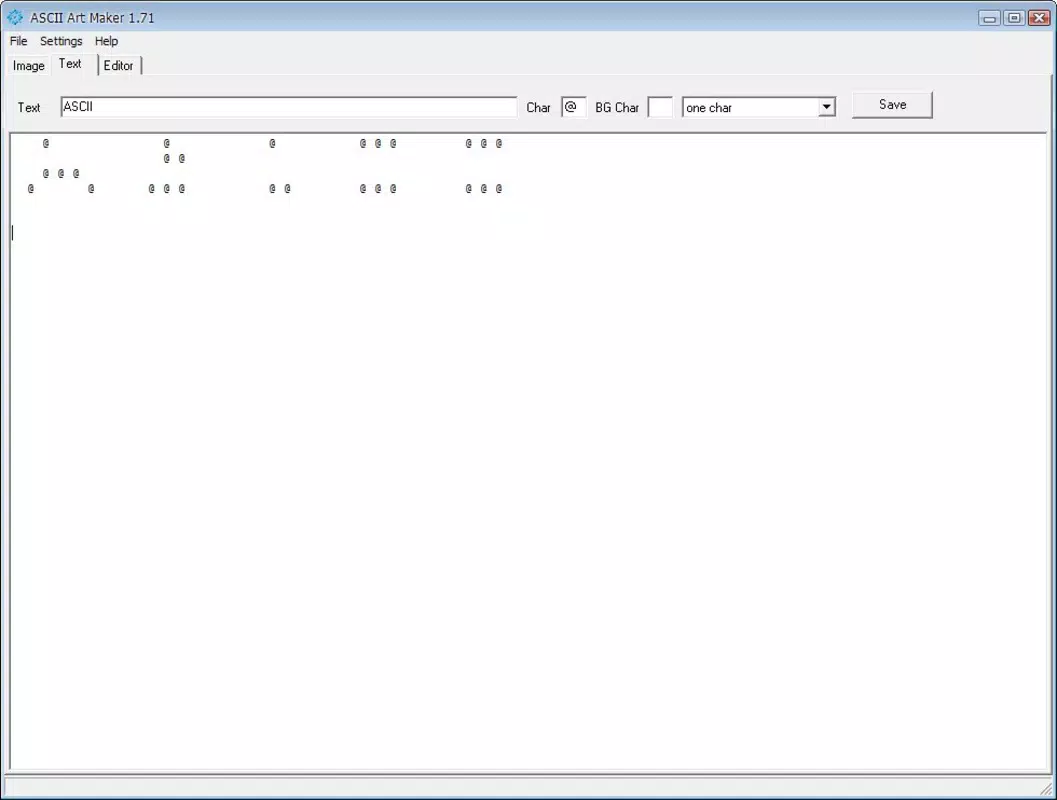
- Character Type Selection: Users can choose from different character sets, including the option to spell out phrases within the artwork. This enhances expressiveness and allows for narrative or textual integration into visual compositions.
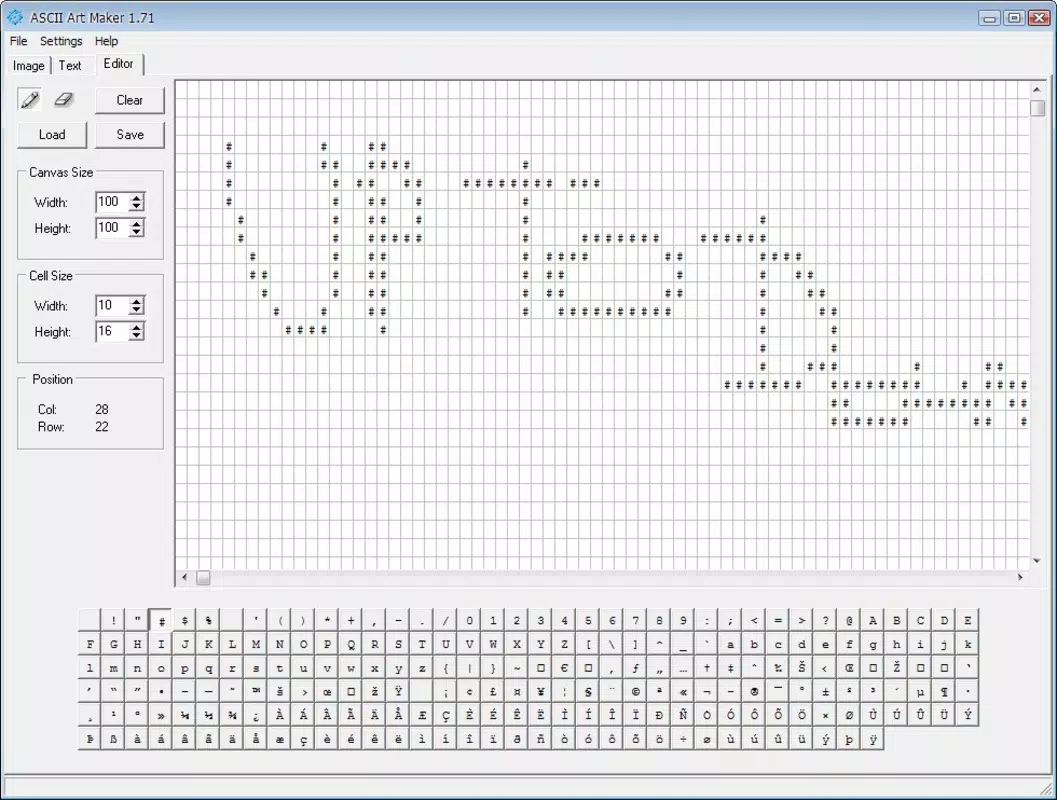
- Brush Size Adjustment: For users creating art from scratch, the ability to adjust brush size provides greater control over detail and density, enabling both broad strokes and fine-line precision.
- User-Friendly Interface: The app features an intuitive layout with minimal navigation complexity, allowing even first-time users to begin creating ASCII art within minutes.
For example, a user might convert a pet photo into a 40-character-wide ASCII version to use as a profile picture on a messaging platform. Alternatively, someone could draw a simple heart using a small brush, then customize the character set to use only symbols like asterisks and dots for a minimalist effect. These use cases demonstrate the app’s practicality in both personal and creative contexts.
Interface, UX & Performance
The user interface of Ascii Art Maker is designed with simplicity in mind, prioritizing functionality over visual embellishment. The layout is clean and minimal, with clearly labeled options for image upload, size selection, character customization, and brush control. Navigation follows a linear flow, guiding users through the creation process step by step without unnecessary complexity.
Interaction is responsive, allowing smooth transitions between editing modes. The app maintains consistent performance across various Android device categories, including entry-level and mid-range smartphones. Although the developer did not list formal performance metrics, the lightweight nature of the app—only 1.5 MB in size—suggests efficient resource usage and minimal impact on device battery or memory.
Stability appears to be well-maintained, given the app’s long-standing presence on the platform. Users can expect consistent behavior when uploading images or adjusting settings. The app does not exhibit lag during basic operations, and screen transitions are smooth. While advanced animations or real-time previews were not detailed in the provided information, the overall experience remains fluid and predictable.
Platform Compatibility & Technical Requirements
Ascii Art Maker is available exclusively on the Android platform. The app is compatible with Android devices running the version specified in the metadata, though specific minimum OS requirements were not listed by the developer. The file size of the application is 1.5 MB, which indicates a lightweight footprint suitable for devices with limited storage capacity.
Given its small size and long-standing release date, the app likely supports a wide range of Android versions, including older ones. However, compatibility with newer Android features or high-resolution displays was not confirmed. Users should ensure their device meets the system requirements for the version they intend to install. The developer did not provide detailed technical specifications or hardware dependencies.
Pros and Cons
Pros
- Lightweight design at only 1.5 MB, ideal for low-storage devices.
- Free to download and use, with no in-app purchases or ads mentioned.
- Supports both image-to-ASCII conversion and hand-drawn ASCII art creation.
- Intuitive interface suitable for beginners and casual users.
- Customizable output size and character selection for personalized results.
Cons
- Developer did not provide detailed information on OS compatibility or minimum requirements.
- No mention of real-time preview or advanced editing tools.
- Limited visual feedback during the drawing process may affect precision.
- App has not been updated since 2013, raising concerns about long-term support.
- Platform availability is restricted to Android only.
FAQ
Is Ascii Art Maker safe to download and install?
Yes, the app is available through official Android channels and has been in use since 2013. It is free and does not require root access or elevated permissions.
Can I use Ascii Art Maker on iOS devices?
No, the app is currently available only for Android. There is no official iOS version listed.
Does the app require an internet connection?
Based on the available information, the app appears to function offline. No cloud services or online processing were mentioned.
How do I update Ascii Art Maker?
Updates are managed through the Google Play Store. However, the app has not been updated since 2013, so automatic updates may not be available.
Is the app suitable for professional use?
While the app is functional for creative and personal projects, it lacks advanced features required for professional design workflows. It is best suited for hobbyists and casual users.
Final Thoughts
Ascii Art Maker stands as a dedicated, no-nonsense tool for creating ASCII-based visual art on Android. Its minimalist design, combined with essential features like image conversion and hand-drawn editing, makes it a valuable resource for users exploring text-based creativity. Despite its age and lack of recent updates, the app remains functional and accessible, particularly for those seeking a lightweight, free solution.
It is especially beneficial for students, educators, and digital artists interested in retro aesthetics or experimenting with code-based visual expression. The ability to generate unique text art without complex software or high system demands adds to its appeal. For anyone looking to add a creative twist to messages, presentations, or social media posts, this app delivers real value.
Download Ascii Art Maker now


